


Flip Skater
4.49.85K Reviews
App Specs
- Version
- 2.78
- Updated On
- License
- Free
- Downloads
- 50,000,000+
- Developer
- Miniclip.com
- Categories
- Sports
- Platform
- Android, iOS
Screenshots
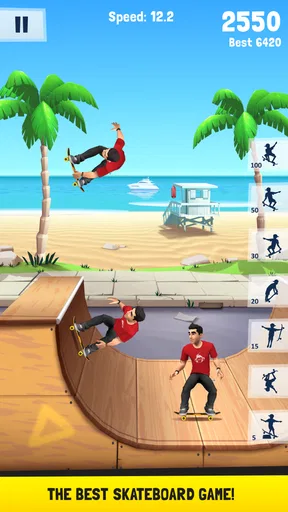
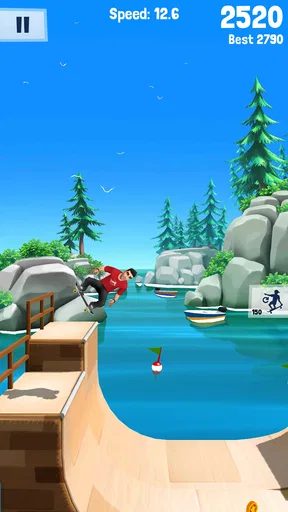
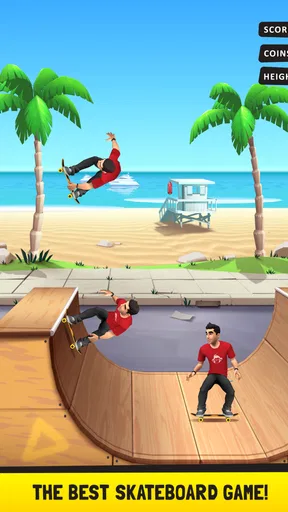

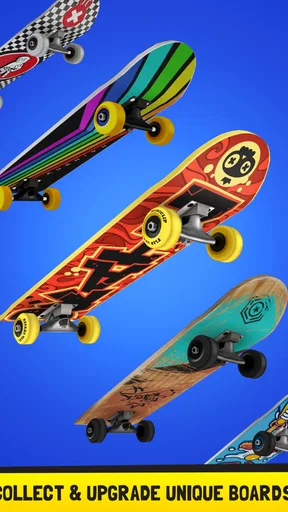
 Analysis by AppCompare
I often reach for a quick skateboarding game when I have a few spare minutes, and Flip Skater is built around that kind of short, hands-on play. It’s a free sports game from Miniclip.com, rated Everyone, with a 4.4 average from around 159,000 ratings and over 10 million installs. The appeal is easy to understand: choose a skater, try to land tricks, and see how much control you can manage. My impression is that it works best as a casual reflex game, not as a detailed skating simulator.
Where a run can go wrong
The main challenge is not learning a long list of buttons; it is getting the timing right. A trick that looks impressive can still feel unsatisfying if I rush the input or lose track of the landing. That makes early attempts a little uneven. I recommend treating the first few runs as practice rather than expecting a high score straight away. Pay attention to how the skater responds, then build up the complexity of your attempts instead of trying to do everything at once.
That timing focus also explains why a run may feel inconsistent from one attempt to another. If I am distracted or tapping hurriedly, I make more mistakes, even though the controls seem simple. The game is better suited to a calm minute of focused play than to frantic button mashing. For a quick session between errands, I can enjoy trying to improve one run; if I only want something completely passive, this is not the right pick.
Checks before settling in
The current version is 2.78, and the minimum operating system requirement is Android 6.0. Before installing, I would check that the device’s software meets that requirement and that there is enough free space for a game. These basic checks can prevent an avoidable setup headache. The game is free to start, while optional in-app purchases range from $1.99 to $14.99 per item, so it is worth keeping that distinction in mind if you are setting spending limits on a device.
If you are choosing a game for a younger player, its Everyone age rating makes it a broadly accessible option. I would still take a moment to review any purchase settings on the device, especially if the game will be used without an adult nearby. That is a practical precaution for any free game with in-app purchases, not a reason to assume that spending is necessary to enjoy a few casual sessions.
Recovering a frustrating run
When a trick attempt goes badly, I find it more useful to change one thing at a time than to repeat the same hurried sequence. Try slowing down, focus on a single clean landing, and then add more ambitious moves once the basic timing feels comfortable. That makes practice more informative: I can tell whether the problem was my timing or simply an overcomplicated attempt.
If the game stops responding as expected, close it and reopen it, then check that the device is not struggling with several demanding tasks at once. A restart is a sensible first step before assuming there is a deeper problem. I would also avoid tapping repeatedly while the game appears to be processing an input; extra touches can make it harder to judge what happened. These are general troubleshooting steps, but they are useful for a game where control timing matters.
Worth Reading Before You Choose

Flipboard Shows What News Apps Must Do Beyond the Feed

Switching to Android Auto Means Rethinking Your Driving Routine

Google Calendar Makes a Crowded Week Easier to Manage

Ludo King Makes the Most of the Minutes Between Plans

Baby Panda World Brings Quick Play to Modern Phones, but Its Game Library Feels Busy

ESPN’s Live Game View Makes Following Close Games Easier
When the game is not the cause
Not every rough session means the game is at fault. A small screen, a device that is busy, or interruptions from notifications can make a timing-based game harder to play well. I get a fairer sense of my own control when I play with the screen unobstructed and give each attempt my attention. If the device is generally lagging in other apps too, checking its available storage and closing unused apps is a more practical first move than blaming one game.
There is also a difference between wanting arcade-style tricks and wanting realistic skateboarding. This game leans toward quick, exaggerated mobile play, so it will not satisfy someone looking for the feel of a simulation or a deep recreation of real skating technique. If that is what you want, a more simulation-focused alternative is a better fit. If you mainly want brief attempts at tricks with accessible controls, its lighter approach makes more sense.
As a sports game, it occupies a different space from longer career-focused titles and from other quick arcade games that ask for little precision. The attraction here is the repeated effort to improve a run, rather than a complicated management layer or a realistic practice routine. That trade-off is useful to know before downloading: the simple premise is easy to approach, but players who need a substantial story or a broad set of systems may run out of reasons to return.
A practical verdict for everyday play
I would recommend Flip Skater to someone who enjoys brief skill-based sessions and does not mind repeating attempts to get a cleaner result. For example, it can fit into a short wait for a ride: play a few runs, focus on one improvement, then put the phone away without needing to commit to a long session. It also suits players who like the satisfaction of getting a tricky sequence right more than those who want a relaxed game that plays itself.
On the other hand, I would skip it if you are after a realistic board-sport simulator, a carefully paced single-player campaign, or a game where progress never depends on timing. The game’s core loop asks for attention, and repeated attempts can feel repetitive if landing tricks is not rewarding to you. The free entry point makes it easy to try, but optional purchases are a reason to check your spending controls rather than assume every item is essential.
First Impressions and Gameplay
When I first opened Flip Skater, I was immediately drawn in by its vibrant graphics and upbeat music. It’s like stepping into a cartoon version of a skate park, where everything is alive with color and energy. The game’s interface is super user-friendly, making it easy for anyone to pick up and start playing without a hitch.
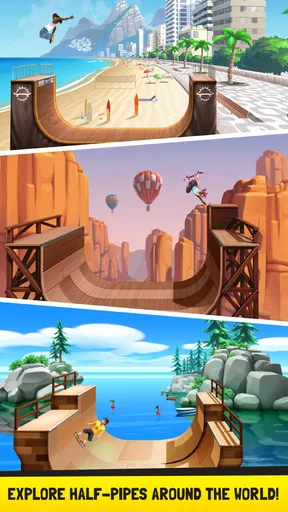
The gameplay itself is straightforward yet engaging. You choose your skater and your skateboard, each with their own unique styles and abilities. Then, you’re off to various locations around the world, from Miami’s sunny beaches to the bustling streets of Tokyo. The controls are intuitive – a simple tap to jump and swipes to perform flips and tricks. It’s all about timing and precision, and boy, is it satisfying when you nail that perfect trick!
Customization and Progression
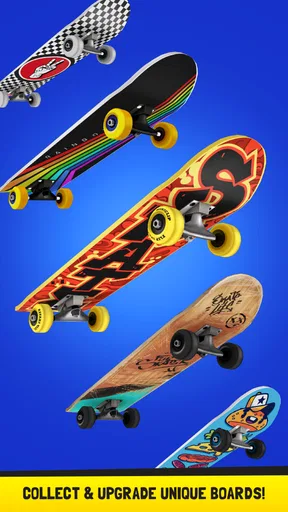
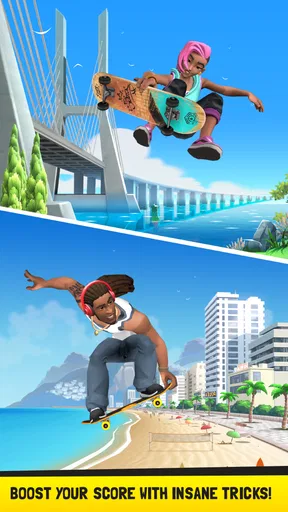
One of the standout features of the game is the level of customization available. As you progress through the game, you earn coins that can be used to unlock new characters and boards. Each skater comes with their own unique flair, and the boards have different attributes that can affect your performance. It’s a nice touch that keeps things fresh and gives you something to strive for.
Moreover, the progression system is well-balanced. You can feel your skills improving as you tackle more complex tricks and combos. There’s a satisfying sense of accomplishment as you move from novice to pro, and the game keeps you hooked with daily challenges and events to earn extra rewards.
Graphics and Sound
The graphics are nothing short of delightful. The developers have done a fantastic job creating a visually appealing world that’s both colorful and dynamic. Each location has its own unique look and feel, making every level a mini adventure of its own.
As for the sound, it perfectly complements the gameplay. The soundtrack is upbeat and lively, with tunes that keep your adrenaline pumping as you skate and perform tricks. The sound effects, from the swoosh of the board to the cheers from the virtual crowd, add an extra level of immersion that makes the game even more enjoyable.
Challenges and Replayability
Now, let’s talk about one of the most crucial aspects of any game – replayability. In the game, the variety of challenges and locations ensures that you’ll keep coming back for more. Each level offers new obstacles and opportunities to show off your skills, and the leaderboard system is a great way to compete against friends or skaters worldwide.
The game also features a variety of challenges that test your abilities and keep you on your toes. Whether it’s achieving a certain score or performing specific tricks, these challenges bring an extra layer of depth to the game, ensuring it never feels repetitive.
Final Thoughts
Overall, this is a lively mobile game that captures skateboarding as accessible arcade fun. Its engaging gameplay, colorful presentation, and customization options give it a clear identity. I see its strongest audience as casual players who enjoy working on timing and tricks in short sessions, rather than people looking for a full simulation. It is free to play, and its current version is 2.78; I would give it a try if that focused, repeatable challenge sounds appealing.
So, if you’re ready to hit the virtual ramps and show off your skateboarding prowess, give it a try. I think it is at its best when you take a few minutes to learn the rhythm, aim for a cleaner run, and enjoy the small improvements along the way.
Pros
- Smooth and responsive controls.
- Variety of skateboards and locations.
- Engaging and challenging tricks.
- Excellent graphics and animations.
- Frequent updates with new content.
Cons
- In-app purchases can be costly.
- Occasional ads interrupt gameplay.
- Limited offline functionality.
- Requires high-end device for best performance.
- Progression can feel slow at times.
FAQs for Flip Skater
What is Flip Skater and how do I play it?
Flip Skater is a thrilling skateboarding game available for Android and iOS that lets you perform gravity-defying tricks and flips. Players can choose from various characters and skateboards, hitting ramps across world-famous locations. The game is easy to pick up for casual gamers yet offers depth for those keen on mastering complex tricks.
Is Flip Skater free to play, and does it include in-app purchases?
Yes, Flip Skater is free to download and play. However, it offers in-app purchases that allow players to buy additional characters, skateboards, and upgrades. These purchases can enhance the gaming experience but are not necessary to enjoy the core gameplay. Players can still progress and unlock items through regular play.
What are the system requirements to run Flip Skater on my device?
To enjoy Flip Skater seamlessly, ensure your Android device is running version 4.4 or higher, or your iOS device is on iOS 9.0 or later. Adequate storage and a stable internet connection are recommended to download the game and access all features efficiently, including updates and online leaderboards.
Can I play Flip Skater offline, or is an internet connection required?
Flip Skater can be played offline, making it perfect for gaming on the go without worrying about data usage. However, an internet connection is needed for certain features like leaderboards, in-app purchases, and updates. Playing online also enhances the experience through competition with friends and global players.
How can I improve my skills and score higher in Flip Skater?
To excel in Flip Skater, practice consistently to perfect timing and tricks. Focus on learning combos and stringing together flips for maximum points. Upgrading your skateboard and character can also improve performance. Pay attention to each location’s unique ramps and obstacles to strategize effectively for high scores.


